Not my usual topic, but a fun project I wanted to share.
CloudStream is an open-source Android app for streaming movies and TV shows. What makes it powerful is its plugin system - anyone can write a provider that scrapes or queries any source and plug it directly into the app. This post walks through exactly how I built Thamflix, a plugin that uses the TMDB API for metadata and Vidlink for streaming.
What the Plugin Looks Like
Here’s the Thamflix home screen running inside CloudStream:
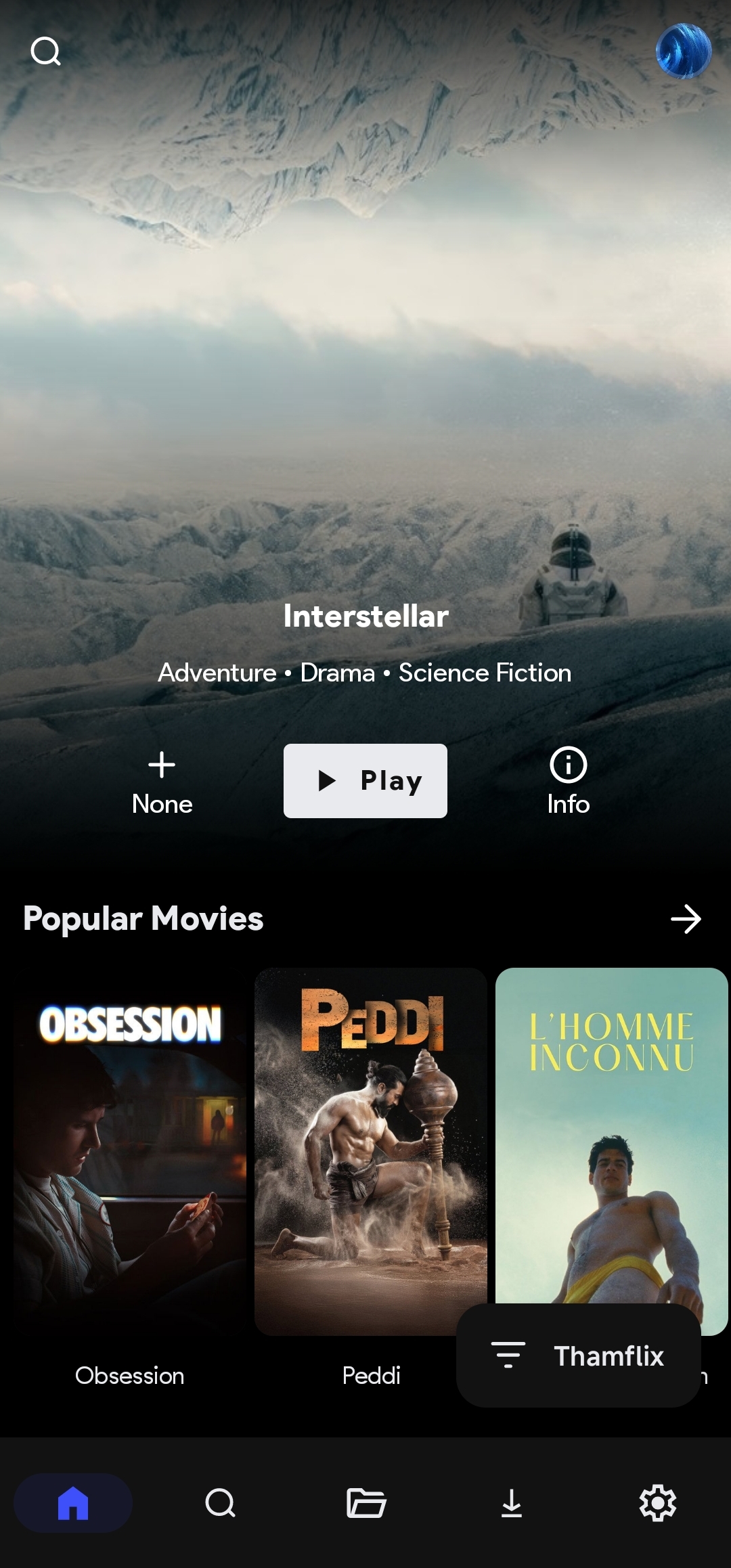 | 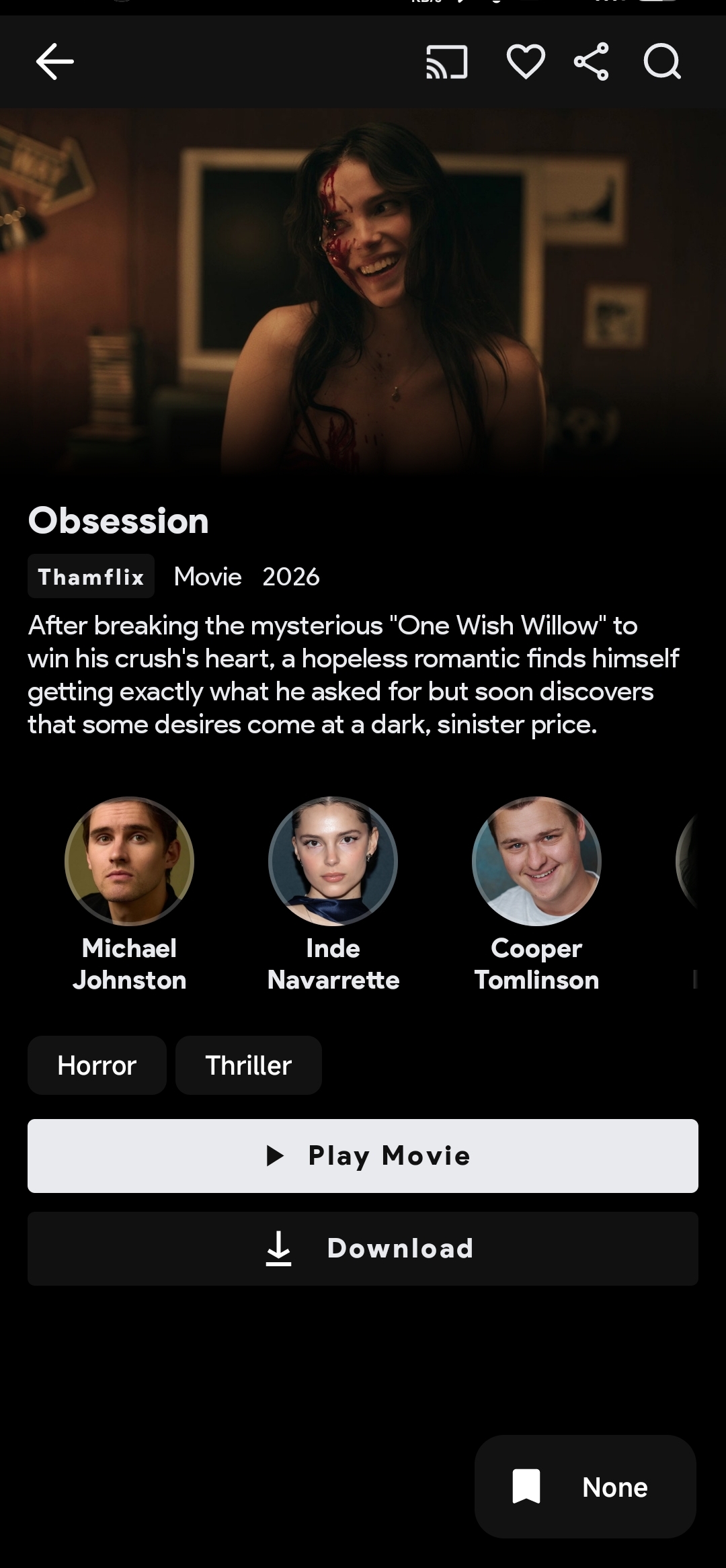 |
What is a CloudStream Plugin?
A CloudStream plugin is a compiled Kotlin library packaged as a .cs3 file (which is just a renamed .zip containing a classes.dex and a manifest.json). The app loads it at runtime using a custom class loader. Plugins implement the MainAPI interface, which defines methods for the home page, search, loading a result page, and resolving video links.
Setting Up the Development Environment
The easiest way to get started is to fork the official TestPlugins template repository:
https://github.com/recloudstream/TestPlugins
This repo comes pre-configured with a GitHub Actions workflow that automatically builds your plugin and pushes the compiled .cs3 files to a builds branch whenever you push to master. This is the recommended approach — it avoids needing to set up Android SDK and Gradle locally.
After forking:
- Go to Settings → Actions → General and set “Allow all actions and reusable workflows”
- Set “Read and write permissions” under the same menu
- Manually create a
buildsbranch from master — the workflow checks this branch out on every run, so it must exist before the first build
You also need to fix two things in the root build.gradle.kts before the build will succeed. The template ships with a -SNAPSHOT version of the CloudStream Gradle plugin that no longer resolves on JitPack, and an older Kotlin version that’s incompatible with the current CloudStream stubs:
// Line 17 — fix the Gradle plugin version
classpath("com.github.recloudstream:gradle:81b1d424d2")

// Line 18 — fix Kotlin version to match CloudStream stubs
classpath("org.jetbrains.kotlin:kotlin-gradle-plugin:2.3.0")
One more fix — the workflow’s clean step fails on the first run because there are no .cs3 files yet. Open .github/workflows/build.yml and add || true:
run: rm $GITHUB_WORKSPACE/builds/*.cs3 || true
Project Structure
Each plugin lives in its own folder at the repo root. The settings.gradle.kts automatically includes any directory that contains a build.gradle.kts, so there’s no manual registration needed:
TestPlugins/
├── Thamflix/
│   ├── build.gradle.kts
│   └── src/main/kotlin/com/thamjeed/ThamflixProvider.kt
├── build.gradle.kts
├── settings.gradle.kts
└── .github/workflows/build.yml
Plugin build.gradle.kts
This file declares the plugin’s metadata, which gets embedded into the generated plugins.json and displayed in CloudStream’s extension browser:
version = 1

cloudstream {
    description = "Thamflix — Movies and TV Shows via TMDB with Vidlink streaming"
    authors = listOf("thamjeed")
    status = 1
    tvTypes = listOf("Movie", "TvSeries")
    iconUrl = "https://www.google.com/s2/favicons?domain=www.themoviedb.org&sz=%size%"
    language = "en"
}
A few things worth noting:
language = "en"is required — CloudStream filters plugins by language and won’t display a plugin with a missing or mismatched language%size%iniconUrlis a template placeholder the app replaces with the appropriate icon size at runtime- Do not add
apiVersionhere — it is not a valid property in the cloudstream block and will cause a build error
Writing the Plugin
The Plugin Class
Every plugin needs a class annotated with @CloudstreamPlugin that extends BasePlugin. This is the entry point CloudStream uses to load the provider:
@CloudstreamPlugin
class ThamflixPlugin : BasePlugin() {
    override fun load() {
        registerMainAPI(ThamflixProvider())
    }
}
The Provider Class
The provider extends MainAPI and implements four core methods.
Home Page
The home page is defined using mainPageOf, which maps URL templates to display names. CloudStream calls getMainPage with a page number and the selected request, enabling infinite scroll:
override val mainPage = mainPageOf(
    "$tmdbBase/movie/popular?language=en-US&page=1" to "Popular Movies",
    "$tmdbBase/tv/popular?language=en-US&page=1"   to "Popular TV Shows",
    // ...
)

override suspend fun getMainPage(page: Int, request: MainPageRequest): HomePageResponse {
    val url = request.data.replace("page=1", "page=$page")
    val isMovie = url.contains("/movie/") || url.contains("discover/movie")
    val response = app.get(url, headers = authHeaders).parsed<TmdbPageResponse>()
    val items = response.results.mapNotNull { it.toSearchResponse(isMovie) }
    return newHomePageResponse(request.name, items, hasNext = page < (response.total_pages ?: 1))
}
Search
Search hits both the TMDB movie and TV search endpoints and combines the results:
override suspend fun search(query: String): List<SearchResponse> {
    val movieResults = app.get(
        "$tmdbBase/search/movie?query=${query.encodeUrl()}&language=en-US&page=1",
        headers = authHeaders
    ).parsed<TmdbPageResponse>().results.mapNotNull { it.toSearchResponse(isMovie = true) }

    val tvResults = app.get(
        "$tmdbBase/search/tv?query=${query.encodeUrl()}&language=en-US&page=1",
        headers = authHeaders
    ).parsed<TmdbPageResponse>().results.mapNotNull { it.toSearchResponse(isMovie = false) }

    return movieResults + tvResults
}
Load (Result Page)
The load function receives the URL/data string stored in the SearchResponse and returns a full LoadResponse with metadata and episode list. For TV shows, it fetches each season’s episode list from TMDB:
override suspend fun load(url: String): LoadResponse? {
    val data = parseJson<TmdbLoadData>(url)
    val detail = app.get(
        "$tmdbBase/${data.type}/${data.id}?language=en-US&append_to_response=credits,videos",
        headers = authHeaders
    ).parsed<TmdbDetail>()
    // ... build and return MovieLoadResponse or TvSeriesLoadResponse
}
The key pattern here is using a serialized data class as the URL — instead of storing a raw URL, you serialize a TmdbLoadData object containing the TMDB ID and content type as a JSON string. This passes structured data cleanly between the search/home page and the load/loadLinks stages.
Load Links (Stream Resolution)
This is where the actual video URL is resolved. Thamflix uses Vidlink, which requires a two-step process — encrypting the TMDB ID first, then fetching the stream playlist:
override suspend fun loadLinks(
    data: String,
    isCasting: Boolean,
    subtitleCallback: (SubtitleFile) -> Unit,
    callback: (ExtractorLink) -> Unit
): Boolean {
    val loadData = parseJson<TmdbLoadData>(data)

    // Step 1: Encrypt the TMDB ID
    val encRes = app.get(
        "https://enc-dec.app/api/enc-vidlink?text=${loadData.id}"
    ).parsed<EncryptResponse>()
    val encrypted = encRes.result ?: return false

    // Step 2: Fetch the HLS playlist
    val apiUrl = if (loadData.type == "movie") {
        "https://vidlink.pro/api/b/movie/$encrypted"
    } else {
        "https://vidlink.pro/api/b/tv/$encrypted/${loadData.season}/${loadData.episode}"
    }

    val streamRes = app.get(
        apiUrl,
        headers = mapOf(
            "Referer" to "https://vidlink.pro/",
            "Origin" to "https://vidlink.pro"
        )
    ).parsed<VidlinkResponse>()

    val playlist = streamRes.stream?.playlist ?: return false

    callback(
        newExtractorLink(
            source = "Vidlink",
            name = "Vidlink",
            url = playlist,
            type = ExtractorLinkType.M3U8
        ) {
            this.referer = "https://vidlink.pro/"
            this.quality = Qualities.Unknown.value
        }
    )

    return true
}
Note that newExtractorLink uses a builder lambda — passing referer, quality, or isM3u8 as named parameters will cause a compilation error in the current CloudStream API.
Setting Up the Repository
CloudStream installs plugins from a repository defined by two JSON files.
repo.json
This must be created manually in the builds branch — it is not auto-generated by the build system:
{
    "name": "Thamflix",
    "description": "TMDB-powered Movies and TV Shows",
    "manifestVersion": 1,
    "pluginLists": [
        "https://raw.githubusercontent.com/th4mjeed/TestPlugins/builds/plugins.json"
    ]
}
plugins.json
This is auto-generated by the GitHub Actions workflow on every push. It contains metadata for every plugin including the .cs3 URL, file hash, and size. CloudStream uses the hash to verify the downloaded file.
One thing to watch out for: newer versions of the build system add extra fields (jarUrl, jarFileSize, jarHash) to plugins.json that older versions of CloudStream don’t expect. If your plugin shows up in the repo list but not in the extensions list, manually edit plugins.json in the builds branch and remove those extra fields.
Installing in CloudStream
Add this URL in CloudStream under Extensions → Add Repository:
https://raw.githubusercontent.com/th4mjeed/TestPlugins/builds/repo.json
If a plugin doesn’t appear after adding the repo:
- Verify
languagein yourbuild.gradle.ktsmatches your CloudStream language setting - Check the content type filter in app settings — if
TvSeriesis disabled, any plugin withTvSeriesin itstvTypeswill be hidden - Remove the repo, force close the app, clear app cache from Android settings, and re-add
Source Code
The full source is available at GitHub.
Reference
Here’s what I referenced: Cloudstream Plugin Development Guide.